
Connectors

Dynamics AX 2009

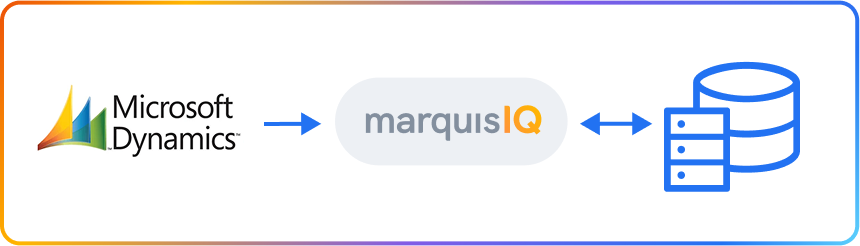
The Microsoft Dynamics AX 2009 connector makes it easy to bring your Dynamics data into Marquis IQ for reporting and analysis. Your data is loaded into Marquis IQ and can be viewed alongside additional ERP, CRM, and other operational data in one place. 

Multiple ERP environments? No problem. Marquis IQ provides the best option for bringing them together into a single, consolidated view through one tool. 

How the Microsoft Dynamics AX 2009 Connector Works
The Dynamics AX 2009 connector makes it easy to bring your Dynamics data into Marquis IQ for reporting and analysis. Your data is loaded into Marquis IQ and can be viewed alongside ERP, CRM, and other operational data in one place.

Dynamics AX 2009 is an enterprise ERP supporting finance, supply chain, and manufacturing, commonly found in highly customized global deployments.

Why Connect Dynamics AX 2009 to Marquis IQ

Microsoft Dynamics logo
Full-suite integration 

Bring in all your Dynamics AX 2009 data alongside other ERP, CRM, and other systems.

Direct Excel integration

Stop wasting time loading exports, build your Excel pivots and charts once, refresh anytime for ultimate efficiency.

Custom fields

Bring in all standard and custom fields into your data for unlimited analysis.

Full-featured data visualization

Empower your analysts with seamless compatibility across enterprise BI platforms. PowerBI? Yes. Tableau? Of course.

One Source of Truth 

Combine system data with other operational data for comprehensive KPIs across your business.

Decision-ready Data, Out of the Box 

No more wrestling with exports, CSVs, or mismatched formats. Marquis IQ cleans, normalizes, and enriches data automatically, ready for dashboards, analytics, and AI-powered insights.

👍
Supported Dynamics AX 2009 Data

The connector supports common Dynamics AX 2009 data, including general ledger, accounts payable, accounts receivable, customers, vendors, purchase orders, sales orders, inventory data, costing data, and company configuration metadata.

🔄
Data Flow and Sync Behavior


Data flows from Dynamics AX 2009 into Marquis IQ. Syncs run on a schedule and use incremental updates to keep data current. Historical data is retained so you can report across time periods. 

Connector Features

Capability
ODBC Integration
Description
✅ Connects to Dynamics AX 2009 via ODBC through Azure Data Factory
Automated ETL and ELT
✅ Retrieves Dynamics AX 2009 data on a scheduled basis

Structured Data Mapping
✅ Loads data into standardized tables within Marquis IQ
Incremental Data Updates
✅ Syncs new and updated records efficiently
Historical Data Retention
✅ Maintains historical records for reporting and analysis
Analytics-Ready Data
✅ Provides structured data for dashboards and reporting
Cross-System Integration
✅ Supports analysis alongside ERP, CRM, and operational data
BI Tool Support
✅ Makes data available to external reporting and BI tools 
(Tableau, PowerBI, Excel)
No-Code Configuration
✅ Allows connector setup without engineering involvement
Pipeline Visibility
✅ Provides visibility into data sync activity

The Dynamics AX 2009 connector is available as part of the Marquis IQ platform.

Contact Marquis Data to learn more about connector availability and configuration options.