The floor should not have to ask.
Marquis Playlists rotates dashboards on the plant TV. Shipping today, on time, at risk, late. Nobody logs in.
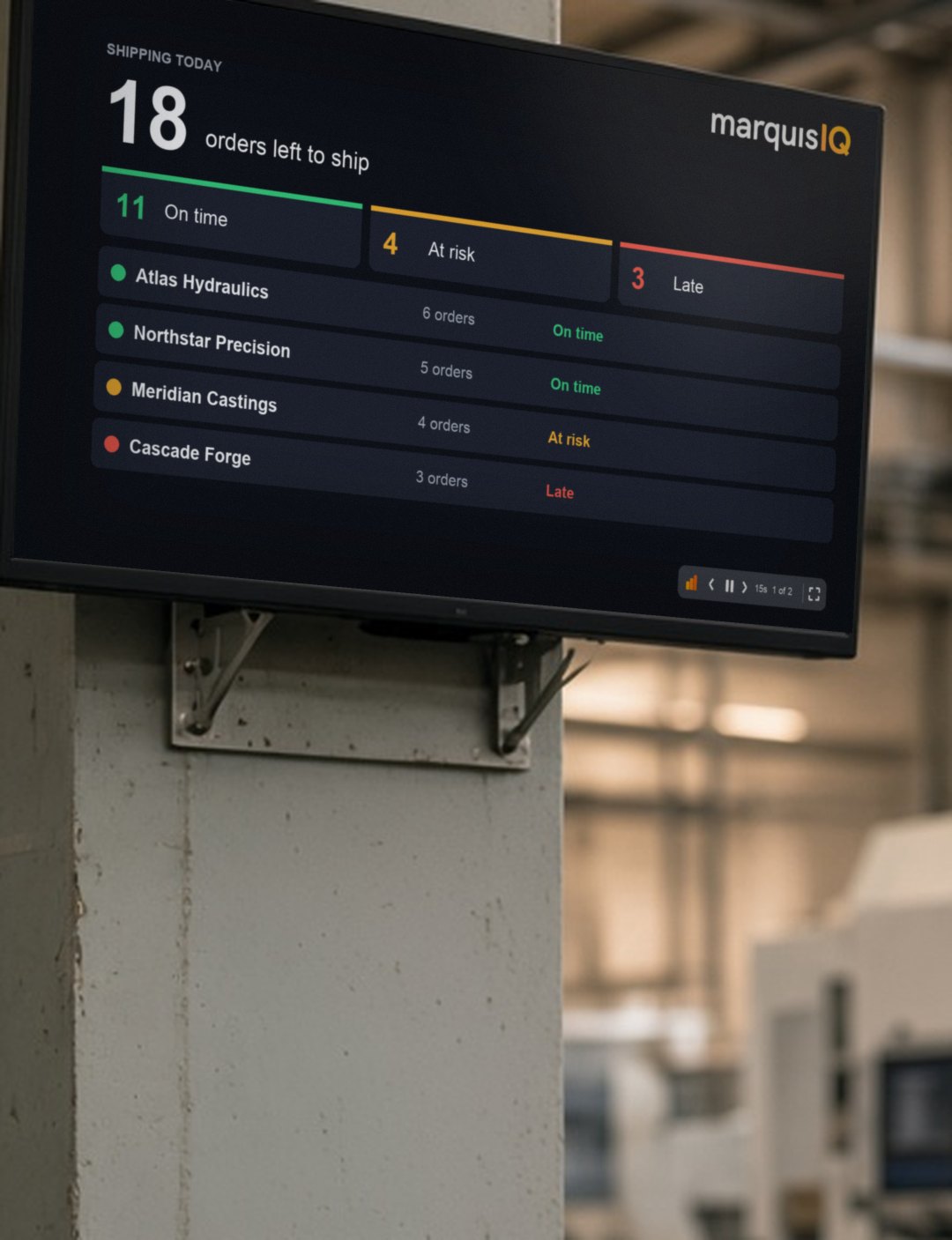
A rotation for a screen that nobody sits at.
A dashboard is built for a person with a mouse. A playlist is built for a wall. You choose the dashboards, set how long each one stays up, and leave it running.
Build the rotation in Marquis IQ.
Pick the dashboards for that screen, in the order the floor should see them. Shipping today for the dock. The queue for the cell.
Set the dwell time per screen.
Seconds per dashboard, per playlist. Fifteen for a board you read at a glance. Longer for a table.
Put it on the TV.
Open the playlist on the screen, go full screen, and walk away. It runs without a user, and it is included for every user, with no per-user fee.
One screen per place. One rotation per screen.
The dashboards are yours, built on the Marquis IQ model. A playlist decides which ones a given screen shows and for how long. The dock does not need the front office's rotation, and the front office does not need the dock's.
What ships today, and what will not.
- Shipping today15s
- Late orders by customer15s
- Shipments scheduled10s
What is in the queue.
- Orders due today15s
- Work in process15s
- Scrap this week20s
How the plant did.
- On-time delivery, this month20s
- Orders shipped this week15s
What came in.
- Bookings this month20s
- Open orders by customer20s
- Backlog15s
The screen shows what you put on the playlist and nothing else. Keep margin off the dock TV by leaving it off the dock's rotation.
The people who never had a login.
Most of the people measured on a number in a plant do not sit at a desk. They walk past a wall. Put the number on the wall.
Included in Marquis IQ Unlimited. Data for all.
Marquis Playlists comes with Marquis IQ Unlimited, alongside Excel, PowerPoint, dashboards, alerts and subscriptions, email bursting, Ask Marquis AI, and Marquis MCP. Every user in the business, no per-user fee.
Questions people ask.
No. A playlist runs on a screen without a user. Nobody on the floor signs in to see it.
Your Marquis IQ dashboards. A playlist decides which ones a screen shows, in what order, and for how long.
The screen shows what you put on the playlist and nothing else. Keep margin off the dock TV by leaving it off the dock's rotation.
Yes. It comes with Marquis IQ Unlimited. No per-user fee.
Bring the number the floor asks for most.
Give us 45 minutes on your data. We will show you that number in a rotation on a screen, and what changes when the dock, the cell, and the plant manager are all looking at the same one.